
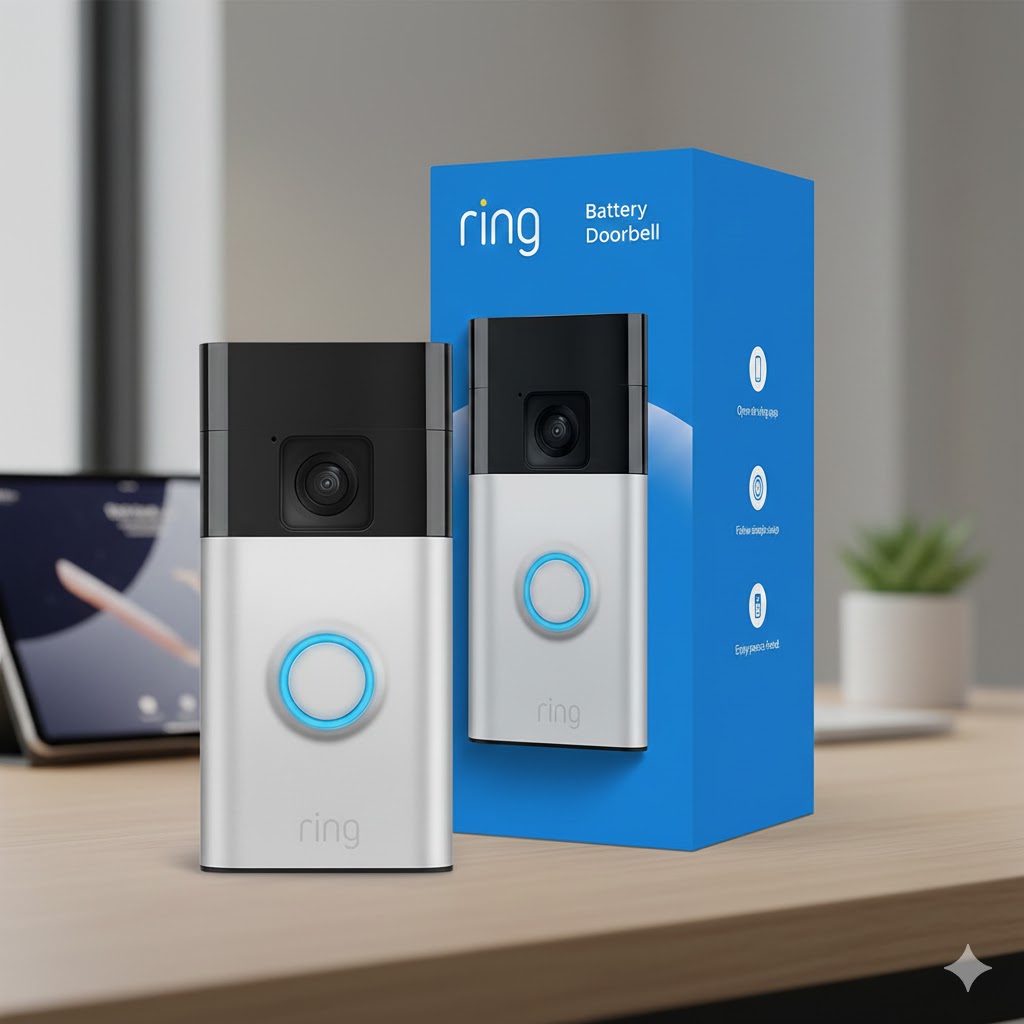
Ring Battery Doorbell (Newest Model) Review: Head-to-Toe 1440p Video, Two-Way Talk & Smart Alerts
If you want a video doorbell that covers your front door and the area where packages land—without paying “pro model” money—the Ring Battery Doorbell (newest model) is one of Ring’s best value picks. It focuses on the features most people actually use daily: head-to-toe video, color night vision, two-way talk, and motion alerts, all in a doorbell that’s designed for a fast DIY install. Ring+1
Below is my hands-on style review based on real-world buying priorities: video clarity, alerts, battery convenience, privacy, and subscription value.
Quick Verdict
Best for: apartments, rentals, and homes that want easy installation + better package coverage.
Skip it if: you need subscription-free local storage or want the most advanced “pro” motion sensing.
Why it stands out: you get 1440×1440 head-to-toe video and a wide 150° horizontal / 150° vertical view that helps you see faces and deliveries down low. Ring+1
Key Features That Matter (Not Just Marketing)
1) Head-to-Toe 1440p video
This model records in 1440×1440 with a “head-to-toe” framing—so you’re less likely to miss packages placed near the door. Ring+1
2) Color Night Vision
Instead of the usual black-and-white night footage, color night vision can make details easier to recognize (clothing color, delivery uniform, etc.). Ring+1
3) Live View + Two-Way Talk
You can open the app, see what’s happening in real time, and speak to visitors (or delivery drivers) using two-way talk. Ring
4) Motion zones + privacy controls
Ring includes custom motion zones and privacy settings so you can reduce unwanted alerts and block areas you don’t want recorded. Ring+1
Video Quality in Real Use
On paper, 1440×1440 doesn’t look like “2K wide,” but the real win is the square head-to-toe framing—it’s built for doorways, not landscapes. Combine that with the wide 150°/150° field of view and you get a more useful picture: face at the top, package at the bottom. Ring+1
Motion Alerts: Helpful, But Set It Up Right
Out of the box, most doorbells can feel “too sensitive.” The best approach is:
- Create a motion zone that includes your walkway/porch but excludes the road
- Reduce false triggers by narrowing the zone edges
- Turn on the smart alerts that matter to you (often tied to a Ring Home plan) Ring
Battery, Charging, and Power Options
This doorbell runs on a built-in rechargeable battery and charges via USB-C. Abt.com+1
You can also power it in a few ways:
- Battery-only (simple for renters)
- Hardwire to existing doorbell wiring / transformer for continuous charging (supported with standard doorbell transformer ranges like 8–24 VAC, 40VA max, depending on setup) Amazon+1
- Optional accessories like a solar charger to extend time between charges Ring+1
Wi-Fi note: This model uses 2.4GHz 802.11 b/g/n (not 5GHz), which is normal for many smart devices because 2.4GHz travels farther through walls. Amazon+1
Do You Need a Subscription?
Here’s the honest answer:
- No subscription required for Live View and real-time notifications. Ring+1
- But recorded video history/playback requires a Ring Home plan. Ring+1
Ring’s entry plan is commonly listed as $4.99/month or $49.99/year for one camera, and it includes up to 180 days of video event history (plus smart alert options depending on plan/features). Ring+1
If you only want to answer the door live, you can stay subscription-free. If you want evidence after the fact (“Who took my package?”), a plan becomes worth it quickly.
Alexa & Smart Home Fit
If you’re in the Amazon ecosystem, Ring integrates nicely with Echo devices for doorbell and motion announcements (availability can vary by country/features). Ring
Pros and Cons
Pros
- Excellent package visibility with head-to-toe framing Ring
- 1440×1440 video + color night vision at a budget-friendly tier Ring+1
- Fast DIY setup (great for apartments/rentals) Ring+1
- Live View works without subscription Ring+1
Cons
- Uses 2.4GHz Wi-Fi only (fine for most homes, but not ideal if your router setup is 5GHz-only) Amazon+1
- To get video recording/history, you’ll likely want a Ring Home plan Ring+1
Who Should Buy It?
Buy the Ring Battery Doorbell (newest model) if you want:
- A simple DIY doorbell with strong “everyday” features
- Better coverage for packages
- A doorbell that works well with Echo/Alexa setups Ring
Consider another option if you want:
- Local storage with no monthly fees (some competitors focus heavily on that)
- Advanced pro-grade motion sensing and premium extras
Setup Tips (So It Feels “Pro”)
- Mount it so your camera sees the doorstep and the walkway
- Use motion zones to remove the street/trees from detection Ring
- Check your Wi-Fi strength at the door (2.4GHz helps, but distance still matters) Amazon
- If charging too often, consider hardwiring or a solar accessory Ring+1
FAQ
Does it work without a subscription?
Yes—Live View and real-time alerts can work without a plan, but recorded playback/history needs a subscription. Ring+1
What video resolution does it have?
Ring lists 1440×1440 head-to-toe HD video for this model. Ring+1
Is it hard to install?
Ring positions it as an easy DIY install (often described around a few minutes), especially for battery-only setups.